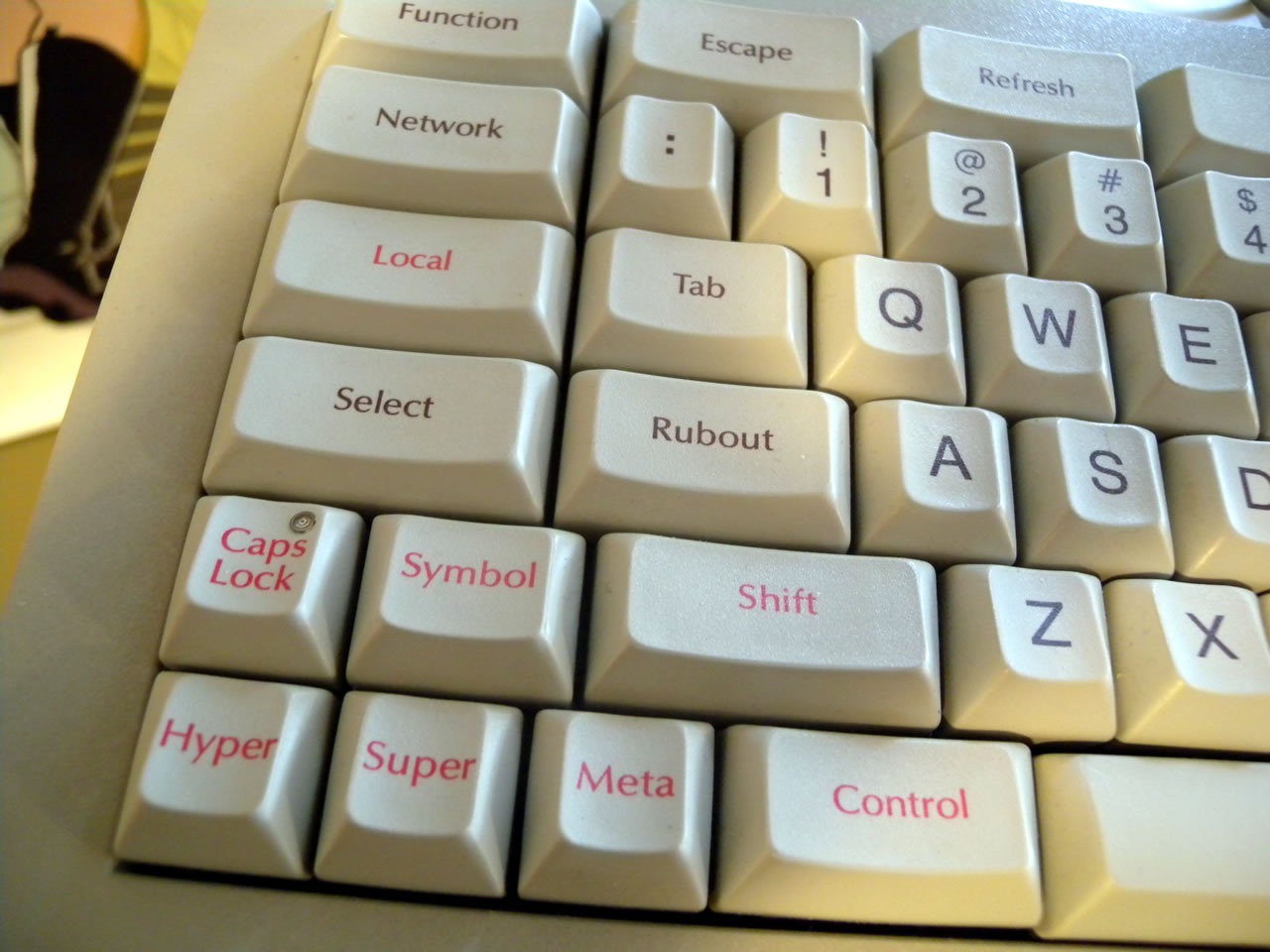
This is an essential configuration for all the computers I use, all because of Emacs.
Emacs was originally developed as a set of macros for the TECO editor (Editing MACroS). At that time, the keyboard layout used by the developers placed the Ctrl key next to the spacebar1, making it convenient for operation with the thumbs. For some reason, standard keyboards that became widespread with personal computers moved the Ctrl key to the outermost position, which forces usage with the pinky finger. This design easily fatigues the pinky.
Therefore, I choose to swap the Ctrl and Alt keys, returning the Ctrl key to a thumb-operable position, alleviating pinky strain and significantly improving efficiency.
Here’s how I do it:
- Windows: Using SharpKeys for key remapping.
- Linux (GNOME desktop): GNOME Tweak Tool makes this easy to configure2.
This is a “once-you-use-it-you-can’t-go-back” configuration. It also has a‘hidden feature’ - driving others crazy when they try to use my keyboard.
Knight Keyboard http://xahlee.info/kbd/knight_keyboard.html ↩︎
GNOME Treak Tool https://askubuntu.com/questions/885045/how-to-swap-ctrl-and-alt-keys-in-ubuntu-16-04/885047 ↩︎